In this guide
An n8n HubSpot integration can connect an external form, product event or billing system to your CRM. The difficult part is deciding what happens when the same event arrives twice, a request times out, or the contact already belongs to an account owner.
This guide describes an external webhook updating an existing HubSpot contact. It includes a processing log for each event (the receipt ledger), a field allowlist and a recovery path. Examples in this guide use fictional records and events.
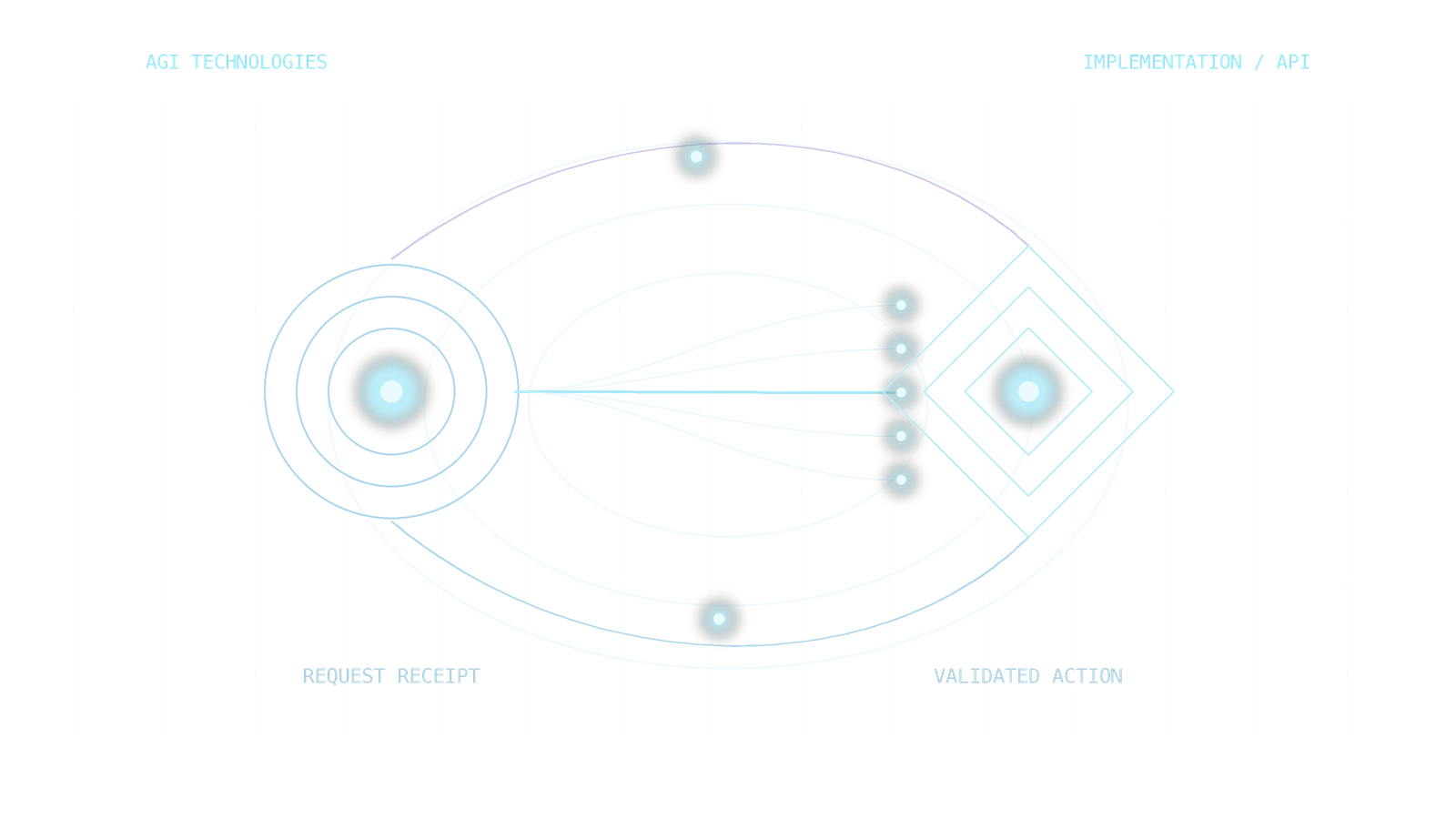
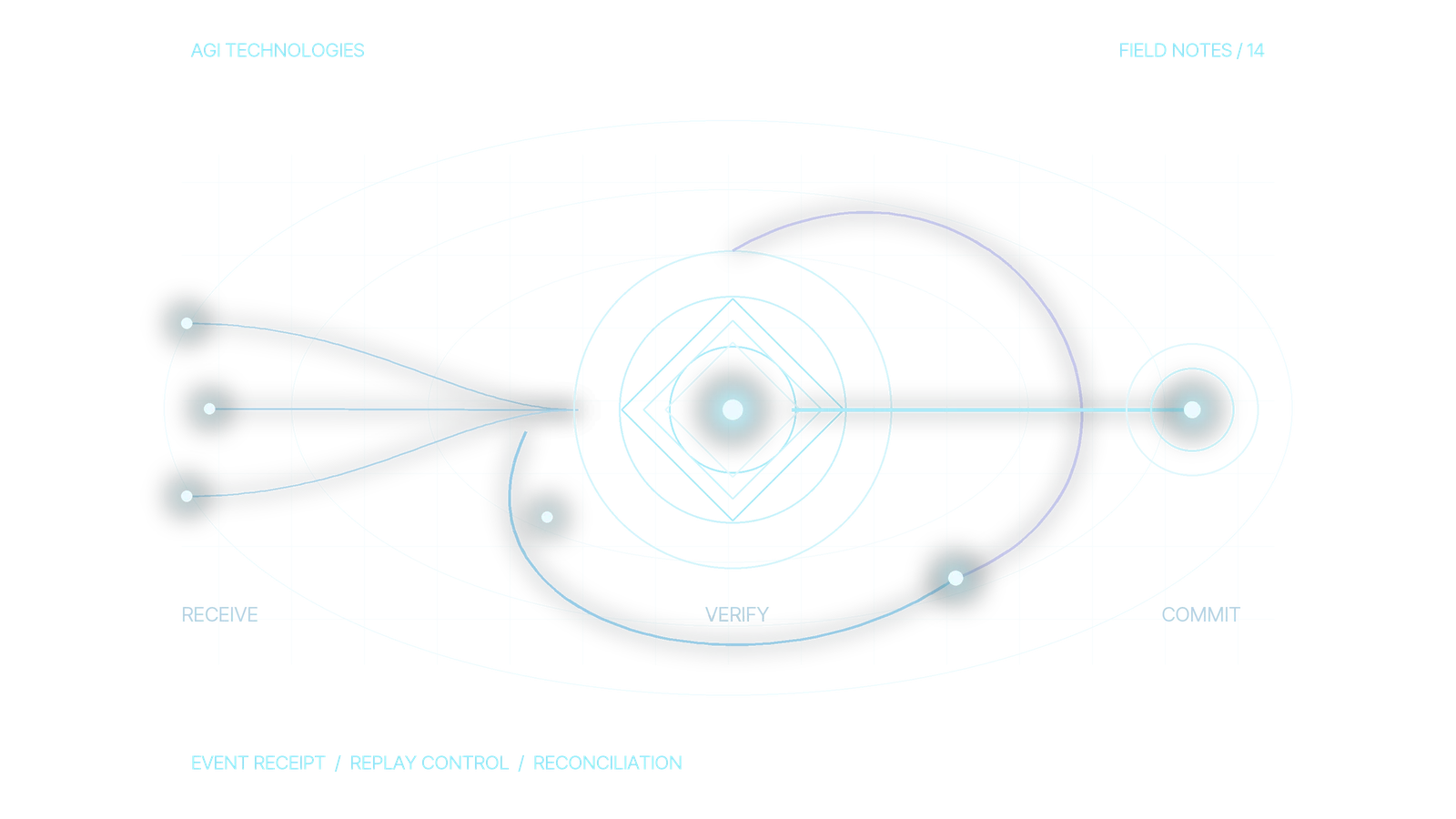
Each event follows one of three paths: a new accepted event is processed, a repeat gets its earlier receipt back, or an uncertain CRM response is reconciled before any retry.
- Event arrivesA form, product event or billing system sends a webhook.
- Check the ledgerA repeated event gets its earlier receipt back.
- Map allowed fieldsOnly fields on the allowlist can change.
- Update the contactOne controlled action on an existing contact.
- Reconcile, then retryAn uncertain response is checked before any retry.
Record each event’s receipt before any CRM write, and test duplicate and uncertain deliveries before the workflow goes live.
When should you use n8n with HubSpot?
Start with a native HubSpot workflow when the necessary data and actions already live in the same portal. Our HubSpot lead routing and workflow automation service builds those native workflows for owner assignment, follow-up tasks and review queues. Use n8n when an external system needs orchestration, a custom API operation or a recovery process spanning several tools. Adding an orchestrator also adds credentials, monitoring and an operational owner.
The n8n HubSpot node supports contact, company and deal operations. If the operation you need is unavailable, n8n documents using an HTTP Request node with the appropriate credential. Check the installed node version before designing around an operation. n8n HubSpot node documentation.
If the requirement is simply Clay enrichment followed by a reviewed CRM update, start with our Clay HubSpot integration guide. An extra n8n layer needs a specific job.
1. Which HubSpot trigger should n8n use?
For an external event, add an n8n Webhook node, select POST and configure authentication compatible with the sender. n8n provides separate test and production URLs. Its immediate response confirms that the workflow started; the HubSpot update can still fail. For a durable intake acknowledgement, use Respond to Webhook after the receipt has been saved successfully. n8n Webhook documentation.
For events originating inside HubSpot, investigate the HubSpot Trigger node instead. Check existing webhook registrations first: n8n warns that activating another HubSpot Trigger can replace its previous registration. Test this in your own app configuration before changing a live workflow. HubSpot Trigger documentation.
Configure the HubSpot credential independently of the incoming webhook authentication. Current n8n documentation lists service keys and OAuth2 for its HubSpot action node; service keys are described as public beta. The Trigger node has a different credential setup. Follow the current credential instructions for your deployment and grant only the permissions needed for the selected operations. Store credentials in n8n’s credential store, never in sample payloads or execution notes. n8n HubSpot credential documentation.
2. Define the event contract before mapping fields
Agree on a stable event reference with the source system. Separate the event identity from the CRM record identity. This example envelope describes the event contract; the HubSpot API request comes later:
{
  "source": "demo_product",
  "source_event_id": "EVT-DEMO-1042",
  "action_version": "contact-review-v1",
  "occurred_at": "2026-10-01T08:00:00Z",
  "crm_record_id": "CONTACT-DEMO-07",
  "requested_changes": {
    "integration_review_status": "requested"
  }
}
The record identifier and property above are placeholders. Replace them with a verified HubSpot record ID and an existing, approved property internal name. Validate types, required fields and permitted values before the workflow attempts a CRM write.
Build a deduplication key from the verified destination account, source, event reference and action version. Compute a hash from a canonical representation of the relevant payload. If the same key arrives with different data, hold it for review; do not silently treat it as a duplicate. A payload hash alone is insufficient: two intentional events can carry identical data.
3. Build the receipt ledger before the write
Use a persistent store with an atomic insert and a unique constraint on the deduplication key. A separate lookup followed by an insert leaves a race between simultaneous deliveries. An n8n execution log is useful for diagnosis; it does not replace this control.
Keep the event key, payload hash, state, worker claim, execution reference, destination record ID, expected field values and verification time. Save the reconciliation result alongside the original attempt so another worker can see why the event was committed or held. Restrict access and retain only the data needed to investigate failures. Use these states:
- Received: the valid event is durably recorded and waiting for a worker.
- Processing: a worker has atomically claimed this action.
- Committed: the agreed target-state and reconciliation checks have passed. Record whether the desired value already existed; checking the saved record alone does not prove this attempt caused it.
- Needs reconciliation: the request may have reached HubSpot, but the outcome is unknown.
- Held: validation, identity or permission needs a human decision.
A repeated committed event returns the recorded result without another write. A processing event stays with its current worker. If a worker stops, reconcile a potentially completed write before taking over; an expired processing lease is not proof that HubSpot did nothing.
A minimum receipt needs these fields. The names below are a proposed schema for your own application; n8n does not create these fields:
- Identity: unique event key, canonical payload hash, destination account and verified record ID.
- Worker: state, lease owner, lease expiry, attempt number and execution reference. Changes of claim must be atomic.
- Write evidence: before values, expected values, attempted action and request time.
- Recovery evidence: observed values, verification time and reconciliation decision. Give any separate task or notification its own receipt.
4. Map the n8n workflow to one controlled action
- Webhook: receive the event and check the sender’s authentication. If the sender uses signed requests, implement its documented signature verification before trusting the body.
- Validate and normalize: use Edit Fields and conditional branches to enforce the contract. Reject unexpected fields and invalid values.
- Persist and claim: use your database or durable queue integration to save the receipt and claim the action atomically. A separate worker can process accepted receipts after intake acknowledgement.
- Read the destination: retrieve the contact using the confirmed CRM identifier. Hold missing or ambiguous matches. HubSpot supports retrieving and updating individual contacts by record ID. HubSpot contacts API documentation.
- Build the allowlist: assemble only approved properties. Preserve owner, lifecycle stage and historical source unless the specific action explicitly permits changing them. Avoid mapping the entire incoming object into HubSpot.
- Update and verify: for this update-only contract, use HTTP Request to send approved properties to
PATCH /crm/v3/objects/contacts/{verifiedRecordId}. Retrieve that contact and compare the saved fields. Use a native node operation only after checking that its installed version enforces the same existing-record contract. Record the destination ID, expected values and observed values. - Close or reconcile: commit the receipt only after verification. Otherwise retain the attempted action and send it to the recovery path.
Make the update-only request explicit
In HTTP Request, select the appropriate saved HubSpot credential, method PATCH, and a URL built from the verified record ID. Send a JSON body containing only the allowed properties. The native Contact action is documented as “Create/Update”; do not assume that action will reject a missing contact.
PATCH https://api.hubapi.com/crm/v3/objects/contacts/{verifiedRecordId}

{
  "properties": {
    "integration_review_status": "requested"
  }
}

GET https://api.hubapi.com/crm/v3/objects/contacts/{verifiedRecordId}?properties=integration_review_status
Both the ID and integration_review_status must be replaced or verified for your portal. If the record is missing, hold the event; do not fall back to POST or upsert. If the GET value is already requested, apply the agreed no-change/reconciliation policy; do not send another PATCH blindly. This example does not set owner, lifecycle stage or source.
This design reduces duplicate work; it does not create a transaction shared by n8n, your database and HubSpot. Contact creation, task creation and notifications each need their own recovery check. A contact being deduplicated does not prevent two sales tasks.
For mutable fields, also define a stale-event policy. A late event should not overwrite a newer business decision merely because its event key is new. Use a trusted source revision or an explicit precedence rule, and serialize conflicting actions on the same record where necessary.
Follow one event after its write response is lost
This recovery trace shows the expected decisions. Use the event EVT-DEMO-1042 above and the same payload hash throughout. The approved property starts empty; the requested target value is requested. No task or notification is part of this action. These times illustrate an incident; set your own lease and timeout values.
On smaller screens, scroll to compare all columns.
| Step and receipt | Evidence and next action |
|---|---|
| 08:00:01 · Received | Persist the key, payload hash, confirmed contact ID, empty before value and expected requested value. The acknowledgement confirms durable intake only. |
| 08:00:02 · Processing · attempt 1 | Worker A claims the receipt atomically and saves its execution reference and lease. It sends the allowlisted PATCH. |
| 08:00:03 · Needs reconciliation | The response is lost. Save the attempted action and time. A repeated delivery with the same key and hash sees this state; it must not launch another write. |
| 08:00:31 · Recovery claim | Assume Worker A is confirmed stopped and its lease expired. A recovery worker atomically takes the claim, then GETs the confirmed contact. If the observed value is requested and no conflicting newer revision exists, the target-state check passes without another PATCH. |
| 08:00:32 · Committed by reconciliation | Save the observed value, verification time and reason: target already satisfied, original write outcome uncertain. A later repeat returns this receipt. This is not evidence that Worker A caused the saved value. |
If the saved record shows an empty value, recheck identity, action eligibility and newer changes before a bounded retry. If it contains a conflicting newer value, hold the event for review. If the record check fails, keep the outcome uncertain. Never mark a write verified merely because a GET request returned HTTP 200.
If your actual workflow also creates a sales task, inspect its separate receipt and destination before replay. The contact property can be correct while the task is missing or duplicated. Checking the property cannot establish notification delivery.
5. How should n8n retry a failed HubSpot update?
Retries are safe only after the action’s duplication and recovery rules are defined. HubSpot recommends respecting Retry-After for rate limiting and using bounded backoff with jitter. A timeout after a write needs an outcome check before another attempt. HubSpot integration reliability guidance.
On smaller screens, scroll to compare all columns.
| Failure or state | Recovery decision |
|---|---|
| 429 rate limit | Respect Retry-After when supplied. Queue a bounded retry and limit concurrent requests across workers. |
| Timeout or lost response after a write | Mark needs reconciliation. Inspect the destination before deciding whether the action remains necessary. |
| 400 invalid property or value | Hold the event, correct the mapping and review the action before replay. |
| 401 or 403 | Stop the write path. Check credential validity and permissions; repeated attempts do not repair access. |
| Repeated committed event | Return its receipt. Do not create another task or notification. |
| Same key, changed payload | Hold the conflict for review. Do not overwrite the original receipt. |
Create an Error Trigger workflow and select it in the main workflow’s settings. Include the event key, failed step and recovery owner in the alert, without exposing tokens or unnecessary personal data. n8n’s Error Trigger runs only for automatic workflow failures. Test it through an automatic execution. An error handler detects failure; it does not prove whether the CRM write happened. n8n Error Trigger documentation.
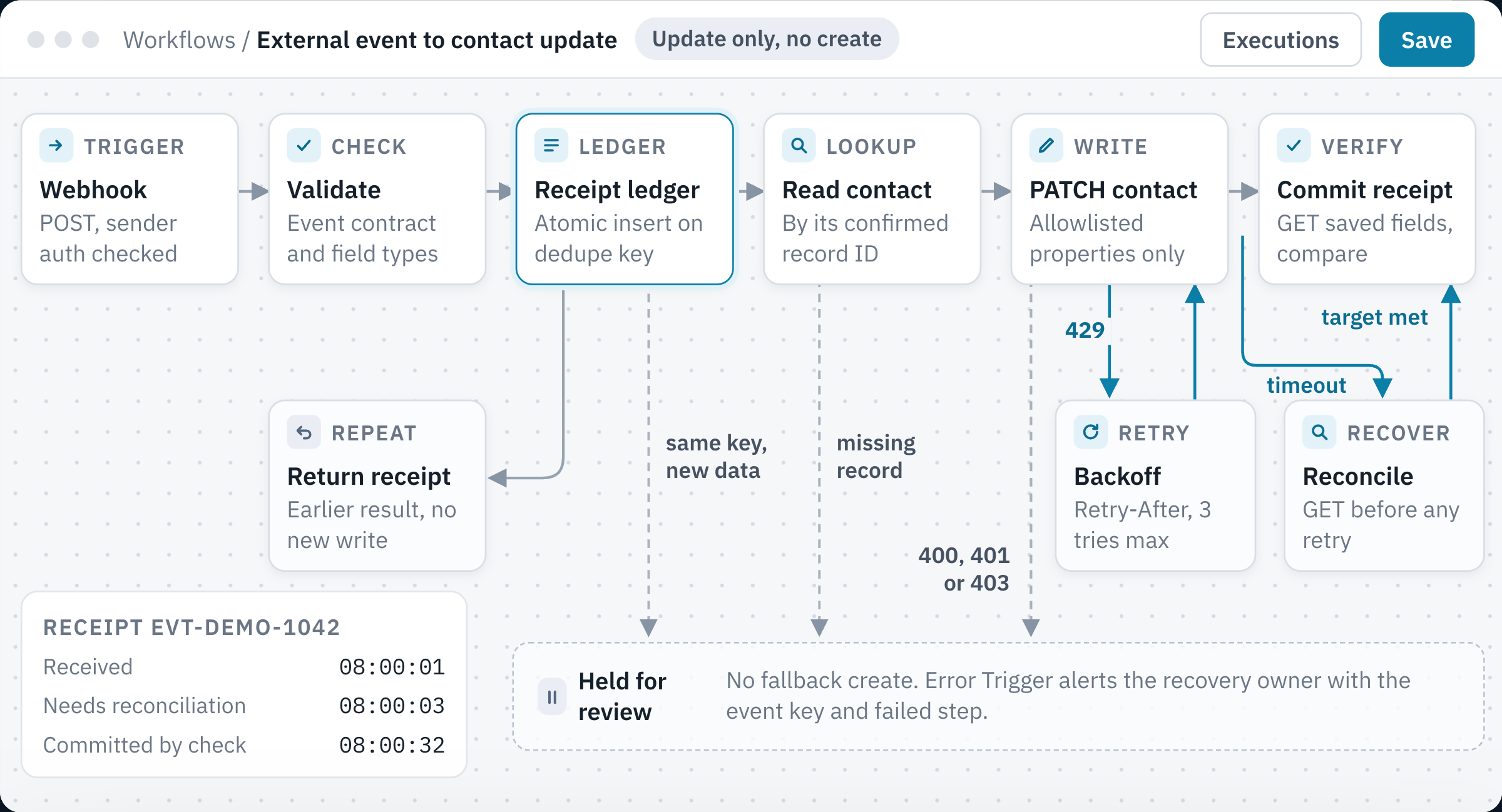
- Receipt ledgerAn atomic insert on the dedupe key lets one worker claim each event.
- Repeat deliveryA repeated event gets its earlier receipt back and makes no second write.
- Retry and recoverA 429 waits for Retry-After, and a lost response is checked against the contact before any retry.
- Held for reviewA missing contact, changed payload or rejected request waits for a named owner with no fallback create.
6. Test repeated and uncertain deliveries before release
These acceptance test cases list expected outcomes to verify in your own n8n instance and HubSpot portal.
On smaller screens, scroll to compare all columns.
| Test case | Expected result to verify |
|---|---|
| Valid event for a confirmed contact | Only the allowlisted property changes; receipt records the destination and verification. |
| Same event delivered twice simultaneously | Only one worker claims the action; the other receives its current receipt state. |
| Repeat after commit | No additional CRM write, sales task or notification. |
| Same event key with changed data | Conflict is held with both references available for investigation. |
| Write succeeds but response is lost | Reconciliation finds the destination outcome before any repeat action. |
| Missing record or denied permission | No speculative record creation; an actionable exception reaches its owner. |
| Older update arrives after a newer revision | The agreed revision or precedence rule prevents a stale overwrite. |
Save the input reference, n8n execution, before-and-after destination values and receipt state for each test. Assign a recovery owner and set retry limits before publishing the production workflow. Review execution-data retention and access, since CRM payloads can include personal information.
Get the capture-to-CRM path reviewed
Bring one event payload, the permitted field changes and the failure you want to prevent. Our MarTech infrastructure service covers capture contracts, CRM mapping, duplicate handling and reconciliation. For ownership rules after capture, use the HubSpot Routing Test Lab to inspect test routing decisions separately from live integration tests.
Book a 30-minute call or send an inquiry about the existing workflow.
Reviewed by Andrii Gorbenko, founder of AGI Technologies