In this guide
Clay vs HubSpot is a workflow decision: use HubSpot to manage customer records and team activity, and add Clay when a specific sourcing, provider-selection or research task needs its own preparation layer. Start by checking whether HubSpot already meets the requirement. Then define which system can change each field, so the team keeps one version of the CRM.
View the recommended system boundary
What does each tool own?
Clay documents HubSpot object imports and create or update actions. HubSpot models business information through records, properties and associations. For the workflow described here, we recommend that HubSpot owns the durable customer record and team history, while Clay stages candidate data and research for controlled updates. See the Clay connector documentation and HubSpot object model.
This is an architecture choice. Teams may use HubSpot-native capabilities for parts of the workflow, Clay for provider choice and research orchestration, or both. Choose the smallest number of systems needed to make the decision repeatable and reviewable.
- Use a system boundary for each step: source, qualify, enrich, resolve identity, approve changes, write, route, measure.
Can HubSpot enrich data without Clay?
HubSpot supports individual and bulk contact and company enrichment, and offers automatic and continuous enrichment settings. Check available properties, source coverage, permissions and the account’s subscription before adding another tool. Start with HubSpot’s enrichment options. HubSpot currently states that standard data enrichment does not consume HubSpot Credits, while smart properties do. Check the current enrichment and credit requirements; subscription access and the cost of a separate research path still need an account-level check.
Overwrite behavior needs a method-level check. HubSpot’s property mapping can protect blank or existing values, but its documentation describes exceptions for conversational enrichment and the Enrich record workflow action. Review the current enrichment settings, then test the exact path you intend to use.
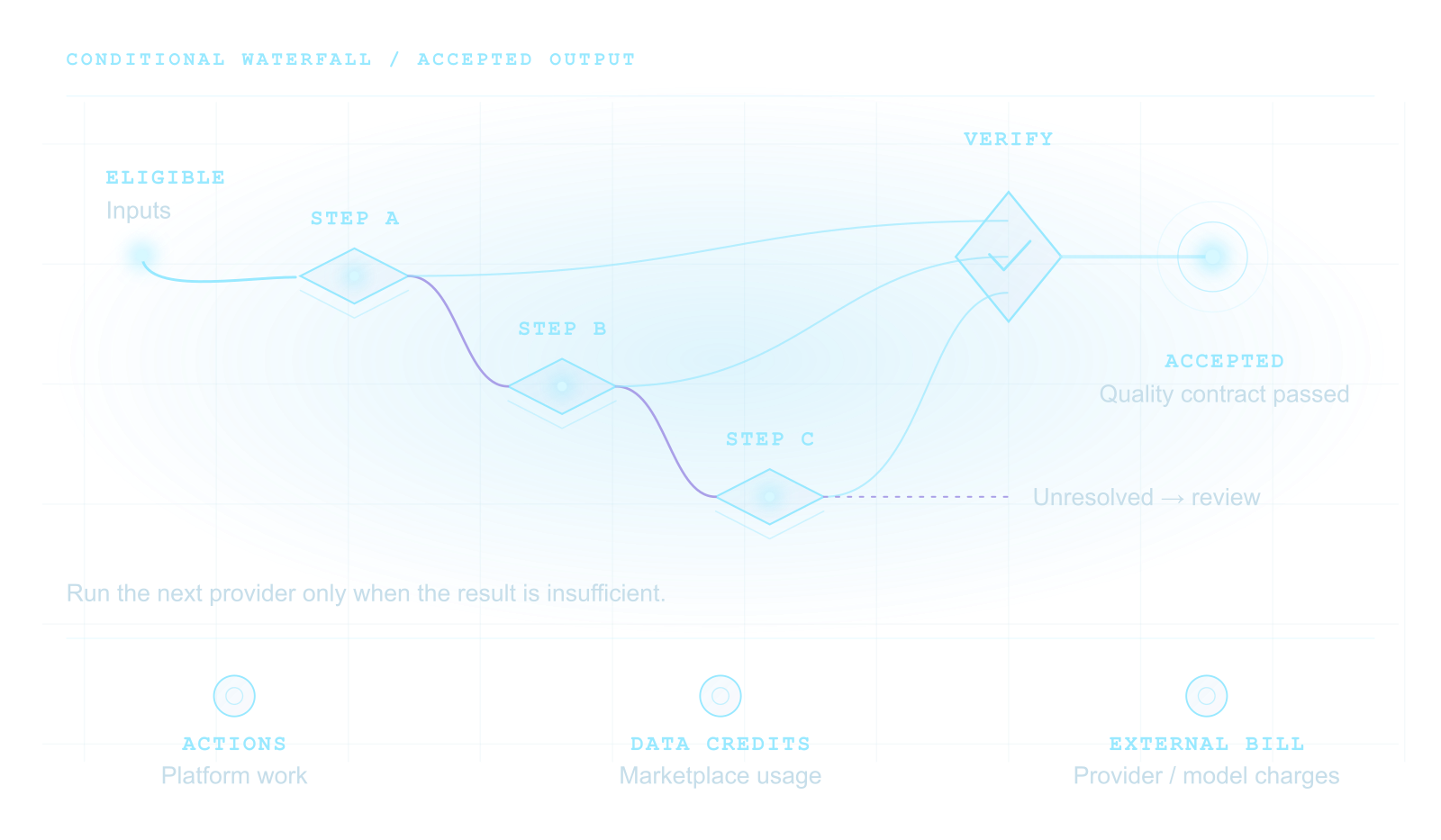
If native enrichment supplies the required data at acceptable quality and cost, keep that task in HubSpot. Add Clay for a documented gap such as a chosen provider sequence, conditional web research or preparation across several sources; our guide to Clay waterfall enrichment for HubSpot covers that path. Compare the missing task on the same approved cohort and acceptance rules.
Three tasks, three different decisions
Examples in this guide use a fictional sales team and records. Suppose a sales team has known company records in HubSpot and wants better account context. Split that request into the field it needs, the evidence that would make the answer usable, and the change it permits.
On smaller screens, scroll to compare all columns.
| Task | Starting decision | Acceptance check and allowed change |
|---|---|---|
| Fill a blank company industry field | Test HubSpot-native enrichment first. Industry is a documented company enrichment property; the record needs a company domain and available matching data. | Inspect the returned category and property history against an approved sample. Permit the agreed industry field only. Missing or unsuitable data leaves the task unresolved; it does not justify inventing a value. |
| Identify a recently announced integration relevant to the account plan | First check whether the configured native research path answers the exact question. If it does not, evaluate Clay research against public company release notes. | Require the announcement URL, date and supporting text. Distinguish an announced integration from a planned one. Store a separate research observation; do not overwrite a curated CRM fact. No dated evidence means no confirmed signal. |
| Preserve the existing relationship owner and customer status | Neither enrichment path should write these fields merely because it returned other data. Keep the approved CRM ownership rules. | Compare the owner and status before and after the test. Any unexpected change fails this test even if the requested industry or research result was correct. |
The purchase decision follows the missing task. If native enrichment meets the industry requirement and there is no separate research gap, this example gives no reason to add Clay. If dated research remains necessary, test that narrow path and its operating cost before expanding it.
A useful ownership matrix
Assign one accountable owner to each data or decision step. If two tools can write the same field, define precedence and conflict behavior before enabling sync. A property should have a named business owner even when one system computes its value and another stores it.
Use the CRM record ID as the write target when it is available from a trusted import. A domain, email address or company name helps identify a candidate, but it is not always enough to prove which CRM record should be updated. Resolve the match before writing and route uncertain cases to review.
On smaller screens, scroll to compare all columns.
| Job | Recommended owner | Deciding condition |
|---|---|---|
| Fill supported CRM fields | HubSpot-native enrichment first | Coverage, method-specific overwrite rules and cost satisfy the task. |
| Choose providers or run conditional research | Clay preparation layer | A defined gap requires a tested multi-source or research path. |
| Customer history, associations and sales work | HubSpot | The team needs one durable record and a visible owner. |
| Approve a proposed field change | One named business rule owner | Identity, permitted field and validation pass before any writer commits. |
| Explain exceptions and spend | A shared run ledger | Both systems retain enough evidence to reconcile the outcome. |
Use this decision sequence for each field
Begin with a field inventory. For every candidate field, record its purpose, object, business owner, current source, writer, allowed refresh rule and what should happen when a provider returns no value. Distinguish a curated CRM value from a computed value, a timestamped observation and an AI-generated suggestion.
Then decide whether the field belongs on a contact, company, deal or another object. A person title and work email describe a contact; firmographic facts typically describe a company; purchase motion and stage belong with a deal or the CRM process. If the field represents a relationship between records, model that relationship and keep the context in one place.
- Never replace a non-empty value merely because a new value is available.
- Keep source, observation date and review state where freshness or the data’s origin affects the decision.
- Do not turn an uncertain company match into an automatic create or update.
A controlled Clay-to-HubSpot workflow
In practice the boundary runs as a three-step loop. The Clay HubSpot integration guide covers connector setup and write tests, and the Clay waterfall enrichment and write rules guide covers matching and field rules in detail.
- Import a bounded cohort: an approved HubSpot list or target accounts, with only the objects and properties the task needs.
- Enrich and resolve in Clay: run the minimum provider steps, normalize values, record each source and confirm the HubSpot record ID.
- Write approved fields only: log each result, and send ambiguous identities or failed validations to a review task with the CRM record unchanged.
Do you need both Clay and HubSpot?
Use HubSpot alone when the required fields, data volume, available subscription features and business rules are already handled adequately in the CRM. Adding Clay creates another permission boundary, usage meter, workflow surface and failure mode. A second tool is justified when a specific missing capability or operating constraint outweighs those costs.
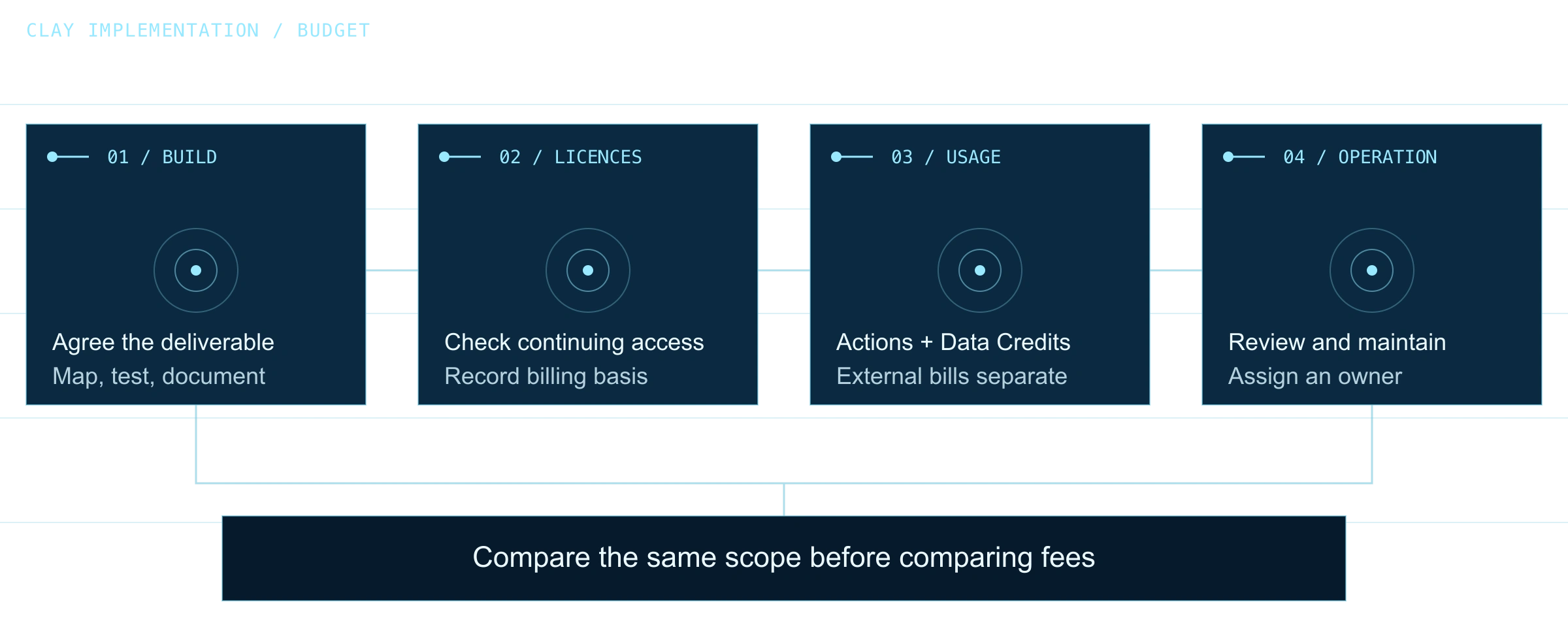
Use Clay in the workflow when the team needs a defined combination of sourcing, provider choice, research, transformations or controlled updates that is not served well by its current CRM process. Before rollout, test the exact workflow against a small synthetic or approved sample, inspect usage costs, and review every resulting field change.
- Justify the decision with a documented gap and a test result.
Common design failures and how to prevent them
Duplicate logic appears when the same qualification rule is recreated in a Clay formula, a HubSpot workflow and a sales spreadsheet. Pick the authoritative rule, store its version or outcome where teams can inspect it, and define who can change it. Reconcile the output in both tools before making a second copy.
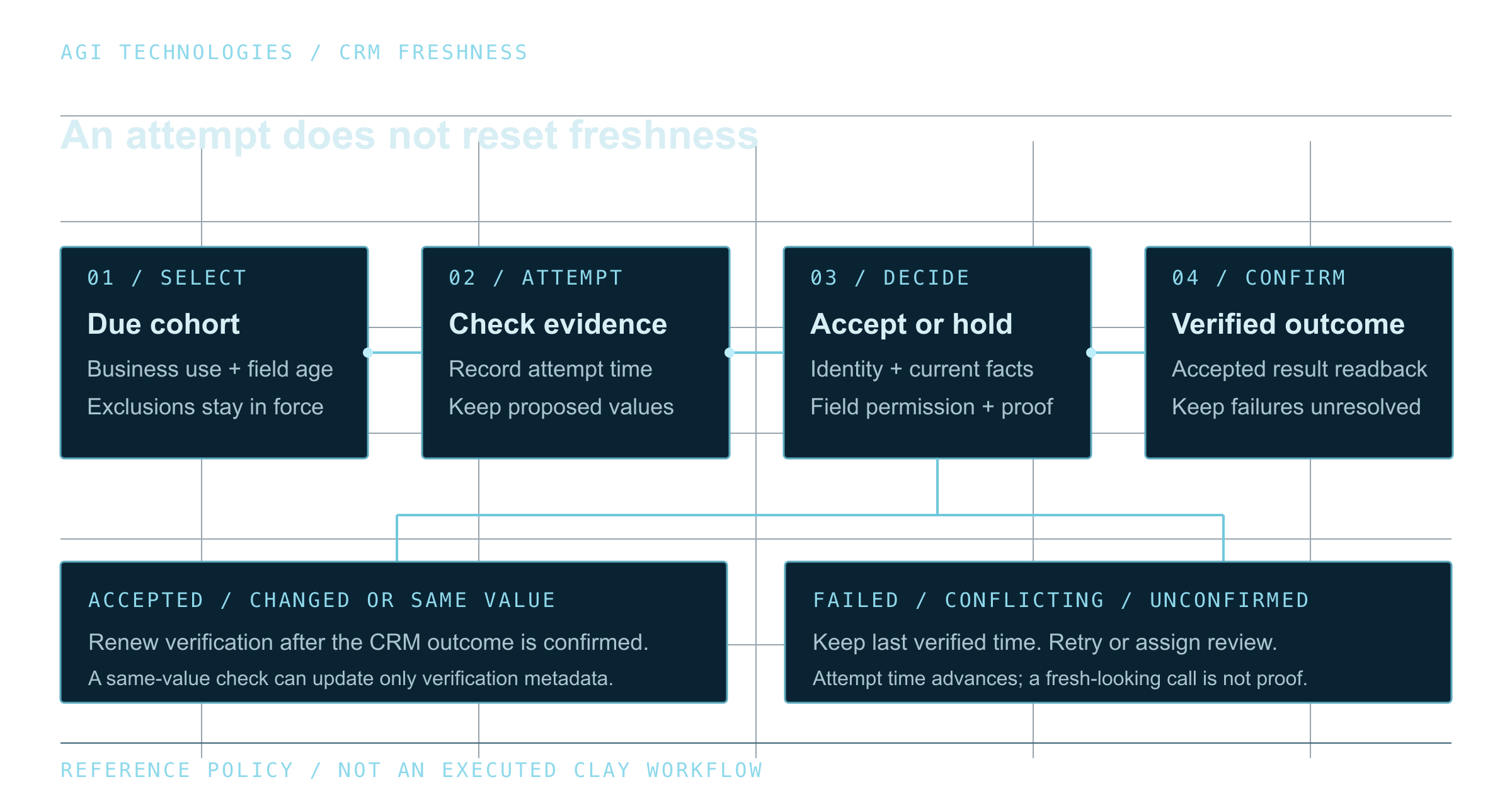
Silent overwrites occur when the sync has no field-level ownership policy. Stale enrichment occurs when records are refreshed without checking whether the field is still useful or whether another team has changed it. Poor matching occurs when a company domain, person email and CRM object ID are treated as interchangeable identifiers. Each issue needs a distinct test and a safe stopping state. A Clay CRM enrichment refresh policy sets which fields are rechecked, when, and which values may be updated.
- Test duplicate candidate, missing domain, multiple company records, stale source, empty provider response, and manually protected field.
Implementation checklist
Before launch, agree on the purpose of the sync, system-of-record boundary, object selection, matching keys, field owners, refresh interval, exclusions, consent and data-retention requirements, usage budget, exception owner, recovery process and success measure. Start with a small cohort, compare proposed changes to current records and collect approval before opening the workflow to routine use.
After launch, measure accepted updates and exception reasons. Review duplicate and overwrite rates, time to human resolution, freshness of the fields that matter, and whether the sales team can understand why a record changed. These are operational measures for your own implementation.
- A useful release gate is: no write unless identity is resolved, the field is permitted, the value passes validation and a replay-safe outcome is recorded.
Questions before implementation
Does Clay replace HubSpot?
Not by default. Clay can prepare, enrich and evaluate data, while HubSpot can continue to hold customer records and team workflows. Choose ownership by task and define which fields each system may change.
Should Clay or HubSpot own an enriched field?
Give one system and one business role clear authority. The system that stores the durable record may differ from the provider that produces a proposed value.
Can Clay create or update HubSpot records?
Clay documentation describes HubSpot integration actions for importing and managing CRM objects. Available actions, permissions and account configuration should be checked in the connected portal before a workflow is released.
Sources and review date
Product details reflect the documentation below as of 12 October 2026. Availability and billing depend on your configured account. The decision frameworks above are implementation guidance from AGI Technologies.
Choose a clear system boundary
Bring a field inventory, the research question your current CRM cannot answer, and a small approved sample of records. A scoped review can define what stays in HubSpot, which gap warrants Clay, the permitted field changes and the tests required before rollout. Compare that plan with the cost and effort of keeping the task native. If the gap does warrant Clay, our Clay lead sourcing and enrichment service sets match keys and field ownership and holds uncertain matches for review.
Use the Clay implementation framework and worksheets to record which system owns each field, what it may change and how your team will review the handoff.
Request a review of your Clay and HubSpot workflowReviewed by Andrii Gorbenko, founder of AGI Technologies